Product Short Description
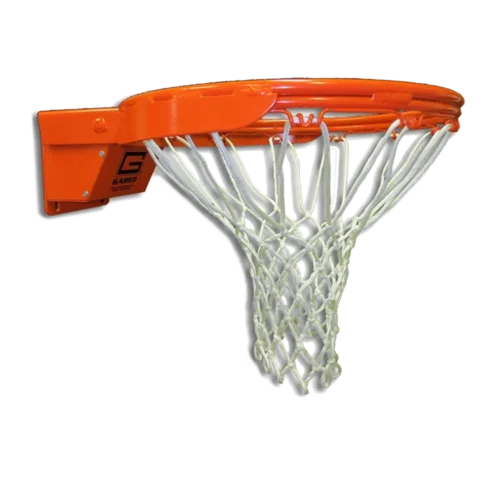
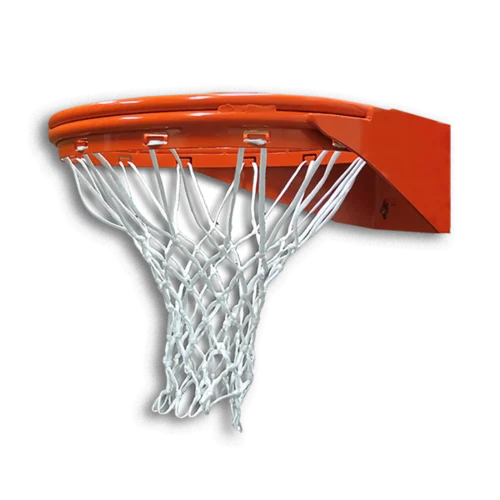
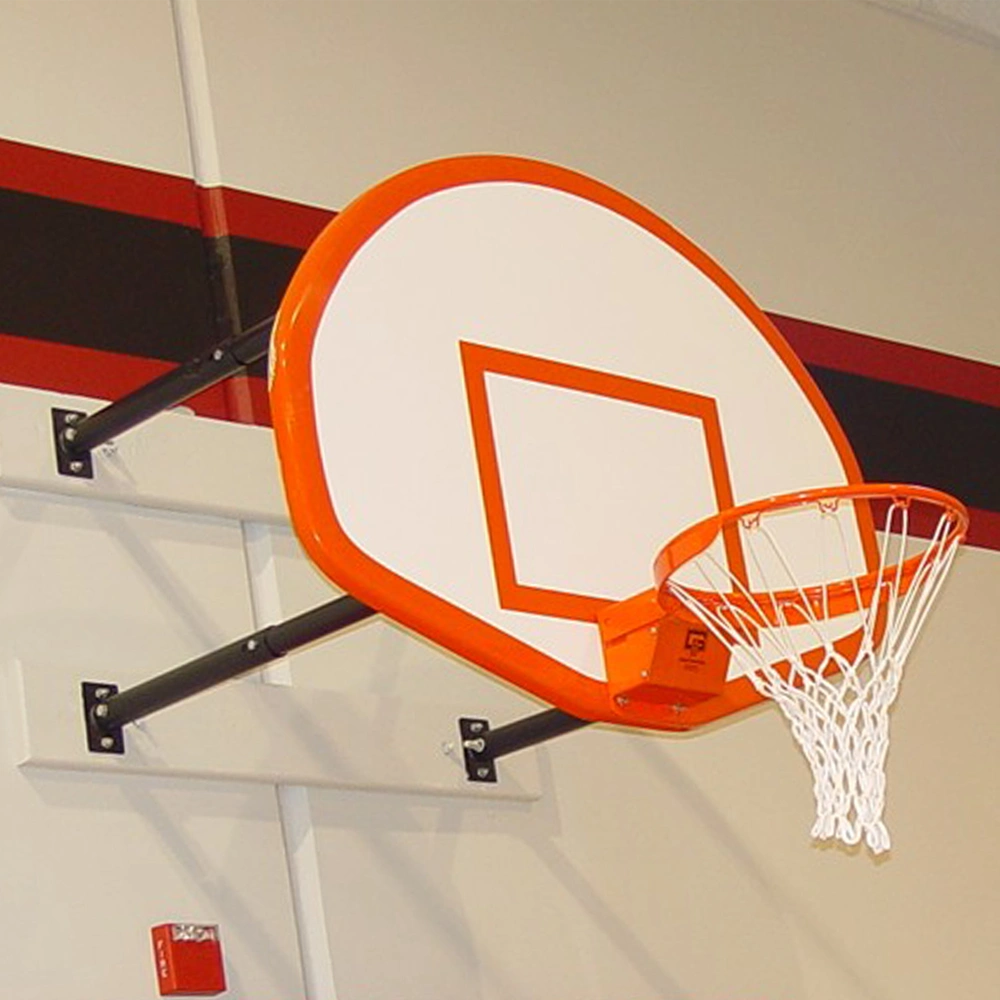
Transform the basketball court at your facility with a complete wall mounted basketball package. Four-point wall mounts incorporate a traditional four-point attachment design. The P2300 is a four-point telescopic stationary wall mount that can be set between 2′ to 12′ length from the wall and includes a 1245T fan-shaped marked steel backboard and 1000 flex breakaway rim. (Note: 1245B Backboard is pictured.)
IMPORTANT — SHIPPING, DELIVERY & DAMAGE CLAIMS
Please inspect your shipment for damage or missing items before signing for delivery. Photos and delivery documentation are required to file a damage or loss claim. Without this documentation, the customer will be responsible for purchasing any replacement items that are needed.
Read the complete Shipping, Delivery & Damage Claims instructions ↓
Product Description
Gared P2300 ST Stationary Wall Mount Basketball Goal
The Gared P2300 ST stationary wall mount basketball goal pairs a durable steel fan backboard with a breakaway rim. Its four-point steel frame mounts to the wall, keeping a portable base off your gym floor. As a result, schools and recreation facilities can use a permanent basketball system that stays in playing position.
The standard package includes the 1245T backboard, Model 1000 Scholastic breakaway rim, and nylon net. In addition, five extension ranges help you match the system to your court.
Choose Your Wall-to-Backboard Extension
Face of Bank measures from the wall to the front of the backboard. Choose 2–3, 3–4, 4–6, 6–9, or 9–12 feet without a height adjuster. However, each frame covers only its selected range. The telescoping arms set the installation distance; this stationary basketball hoop does not fold away.
Three Steel Fan Backboard Styles
These front-mount boards measure 35 inches high by 54 inches wide. Each uses 12-gauge steel with a white powdercoat finish.
- 1245 — Blank: White board without a shooting target or border.
- 1245T — No Border: Orange shooting target without a perimeter border.
- 1245B — With Border: Orange shooting target and perimeter border.
Gared’s photo shows the bordered 1245B, although the standard package includes 1245T. Therefore, confirm the backboard model when ordering.
Optional Manual or Electric Height Adjusters
For added flexibility, optional Adjust-A-Goal packages change playing height from 8 to 10 feet.
- 1147 Manual: Hand-crank operation; includes adjuster 1131 and mounting kits 4405 and 5742.
- 1187 Electric: Push-button operation; includes adjuster 1171 and mounting kits 4405 and 5742.
Allow for an additional 8 inches of offset: Adding either height adjuster places the backboard face 8 inches farther from the wall. For example, the standard 2–3-foot Face of Bank range becomes 2 feet 8 inches–3 feet 8 inches. Therefore, include this added distance when planning your court layout and selecting the extension range.
Also, adding an adjuster changes the wall-to-backboard position. Review the Gared specifications before installation. Finally, compare our wall mount basketball goals or contact us to configure your P2300 ST stationary wall mount basketball goal.
Additional Information
| Weight | N/A |
|---|---|
| Dimensions | N/A |
| Face of Bank | 2' to 3', 3' to 4', 4' to 6', 6' to 9', 9' to 12' |
Size and Weight
This steel fan wall mount basketball goal ships by freight truck. Shipping weight varies by your selected Face of Bank extension, from 188 to 337 pounds for the standard package. Optional height adjusters add weight.
Shipping Rates
Shipping charges are calculated at checkout after you enter your delivery address. The freight calculation includes lift gate service.
Receiving Your Shipment
Arrange a clear, accessible unloading area and have someone available to receive your shipment. If the truck arrives without the included lift gate service, contact us before unloading.
Standard freight delivery does not include moving the equipment indoors. If you need inside delivery or additional handling, contact us before shipment to discuss arrangements and any extra charges.
Before Signing for Delivery
Inspect and photograph your shipment before and after unloading. Document any visible damage or missing items on the delivery paperwork or app before signing. Keep your photos for any damage or loss claim.
Read the complete Shipping, Delivery & Damage Claims instructions ↓
Shipping, Delivery & Damage Claims
Please inspect your shipment carefully at the time of delivery. Your shipment is insured, and damage or loss is rare. However, it can happen. In order to file an insurance claim, any damage or missing items must be documented at the time of delivery.
Before the shipment is unloaded, take clear photos from several angles. Then, after unloading, take additional photos in good lighting. These photos provide important documentation if a damage or loss claim becomes necessary.
Damage Claims
If the shipment, packaging, pallet, or any item appears damaged, dented, crushed, torn, or otherwise questionable, take plenty of photos before the shipment is unloaded from the truck. After unloading, take additional overall and close-up photos in better lighting.
Ask the driver to document all visible damage on the delivery paperwork, Bill of Lading (BOL), or electronic delivery app. The damage must be documented before you sign for and accept the delivery.
Your signature indicates that you accepted the shipment in its delivered condition. Therefore, do not sign the delivery paperwork or electronic delivery confirmation until you have inspected the shipment and documented any visible damage.
If there are no photos taken at the time of delivery and the damage is not documented on the delivery paperwork or app before you sign, an insurance damage claim cannot be filed. In that case, the customer will be responsible for purchasing any replacement items that are needed.
However, when you have delivery photos and the damage has been properly documented before accepting the shipment, a claim can be filed and the damaged item can be replaced at no cost to the customer.
Lost or Missing Item Claims
A shipment may appear to be in perfect condition while an item is still missing. Therefore, take photos of every shipment at the time of delivery, even when everything appears to be fine.
Take photos from several angles before the shipment is unloaded. After unloading, take additional photos in good lighting. These images help establish exactly what was present when the shipment arrived.
The shipper will have photographed the shipment before it was loaded for transportation. If an item is missing, those photographs can be compared with your delivery photos to document the loss and support an insurance claim.
If there are no photos taken at the time of delivery, an insurance claim cannot be filed for a lost or missing item. In that case, the customer will be responsible for purchasing any replacement items that are needed.
However, when your delivery photos show that an item was missing when the shipment arrived, the photographs can be compared with the shipper’s documentation to support the claim. Once the loss is properly documented, the missing item can be replaced at no cost to the customer.
Before You Sign for Your Shipment
- Inspect the shipment for visible damage or missing items.
- Photograph the shipment from several angles before unloading.
- Photograph it again after unloading in good lighting.
- Document any damage or loss on the delivery paperwork, BOL, or delivery app.
- Do not sign until any visible damage or loss has been documented.
- Keep your photos in case an insurance claim needs to be filed.
Taking a few photos at the time of delivery can make all the difference. Proper documentation protects you and provides the information required to file an insurance claim if your shipment arrives damaged or incomplete.